Toybox Studios presents · test build

Translation Toy Box

翻译玩具箱

Learn a language from what you already watch, read and play.

Every word is a toy: click it, keep it, play with it.

Test build 0.1.0-t.202610142332 · Windows 10 or 11 · 478 MB · free
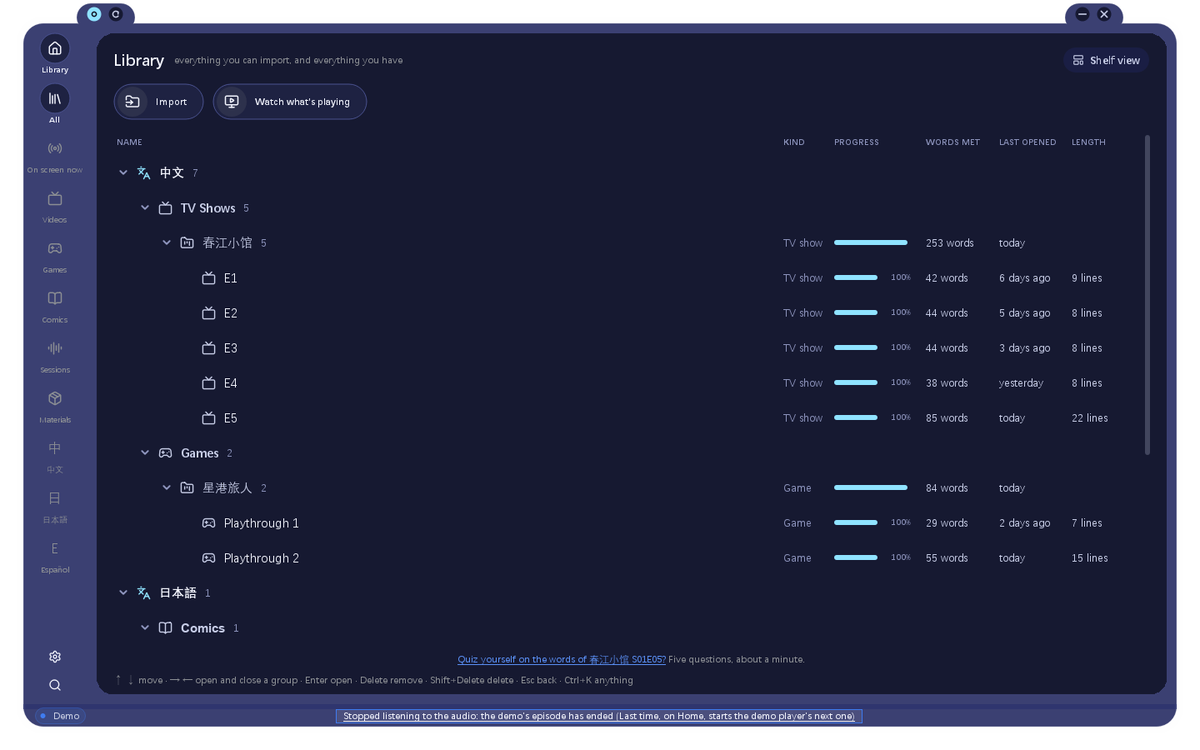
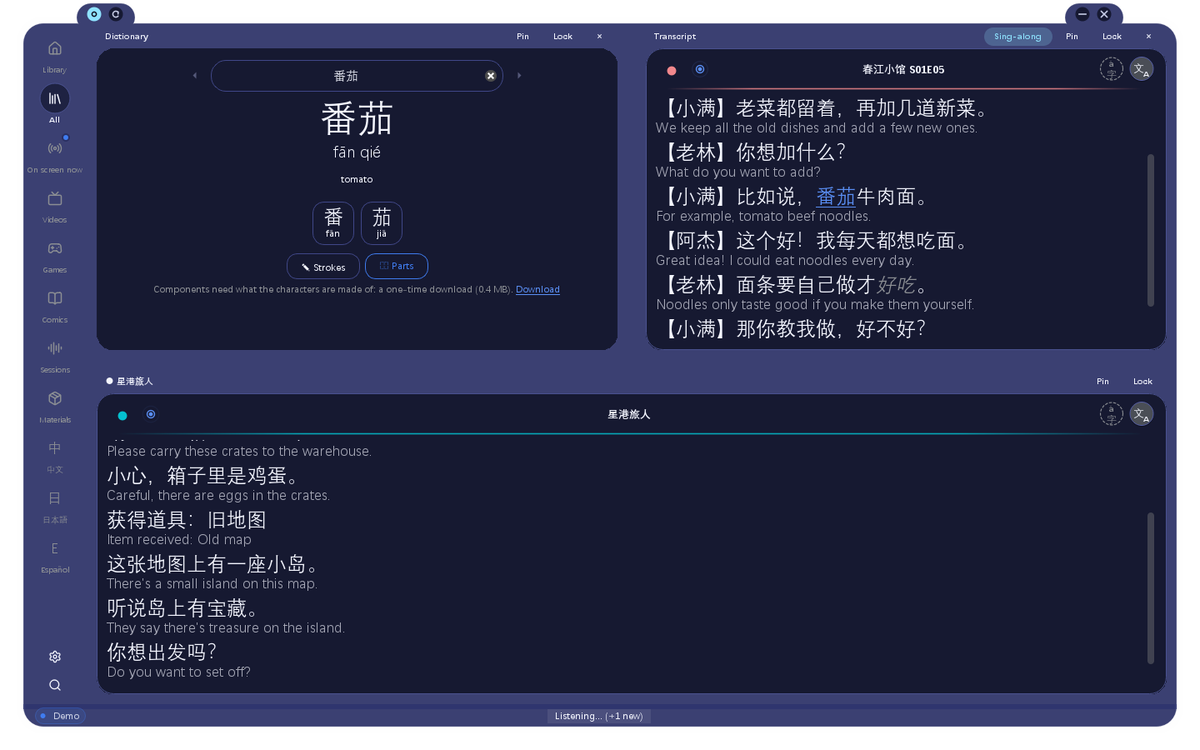
The app's window: two transcripts of the demo drama and game, a word looked up in the Dictionary
Watchsubtitles and speech from any video
Readcomics and manga, bubble by bubble
Playthe words in the games you play
Studyreview what you actually met
Watch

Any video becomes a lesson

Draw a box over the subtitles of anything you watch, in any player or website. Each line is read as it appears, translated on your own computer, and turned into words you can click.

  • Click a word: its meaning, its sound, its characters and how to write them
  • No subtitles? It listens to the sound your PC plays, writes down what's said and tells the speakers apart
  • Every line saved in a transcript, with the moment it was said
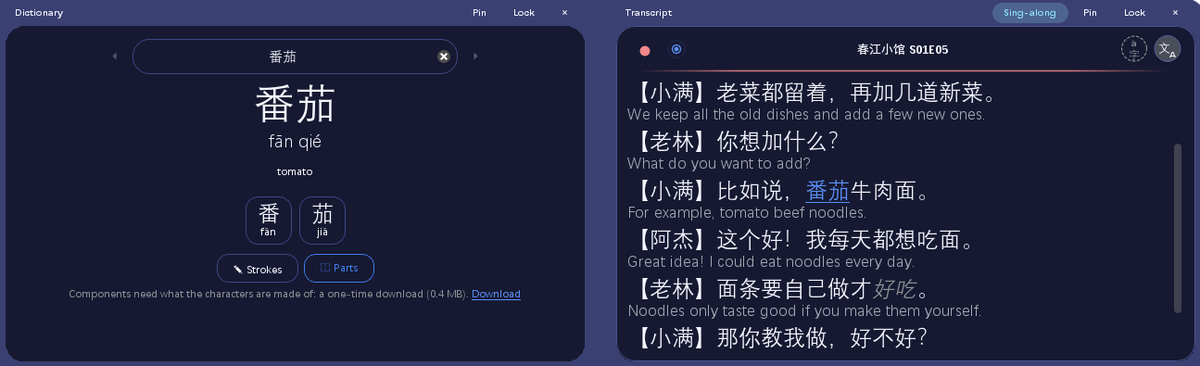
A word from a drama's line looked up in the Dictionary, beside the transcript
Read

Comics and manga, bubble by bubble

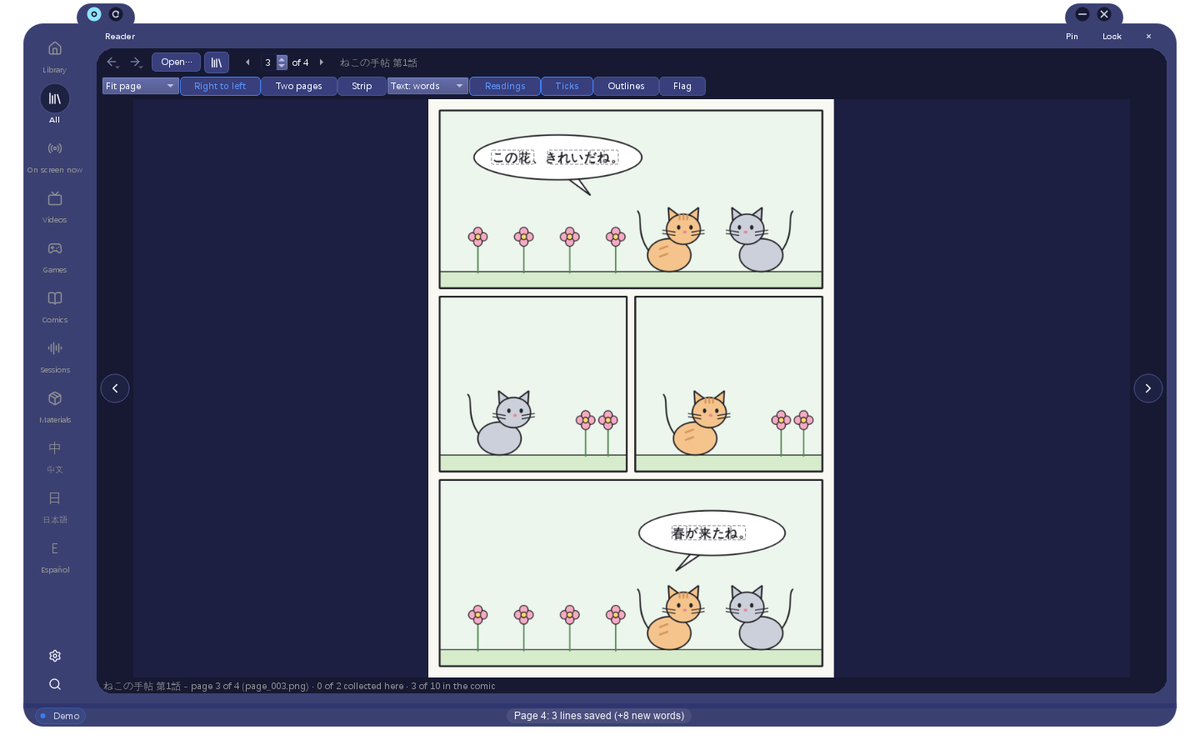
Open a comic and the Reader finds its speech bubbles and reads them. Click a bubble to collect its line, then click any word in it.

  • Pages read ahead while you look at this one
  • Right-to-left, two pages side by side, or one long strip
  • Every bubble you collect joins your transcripts and your words
A short comic open in the Reader, its bubbles outlined
Play

Learn from the games you play

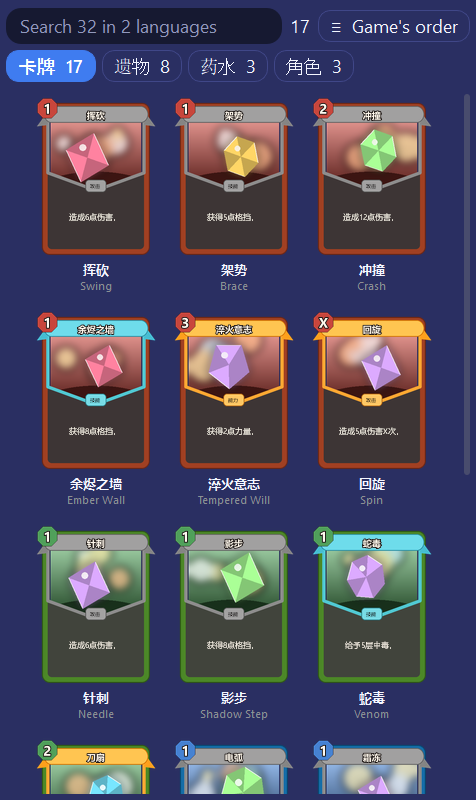
Keep a game's lines beside it while you play, or load its own text. For some games there is a Compendium: every card and item in the language you're learning, with its meaning under it.

  • Each card's name in both languages, its sound under it
  • Search the whole game in either language
A game's cards in Chinese, each with its English name
Study

Review what you actually met

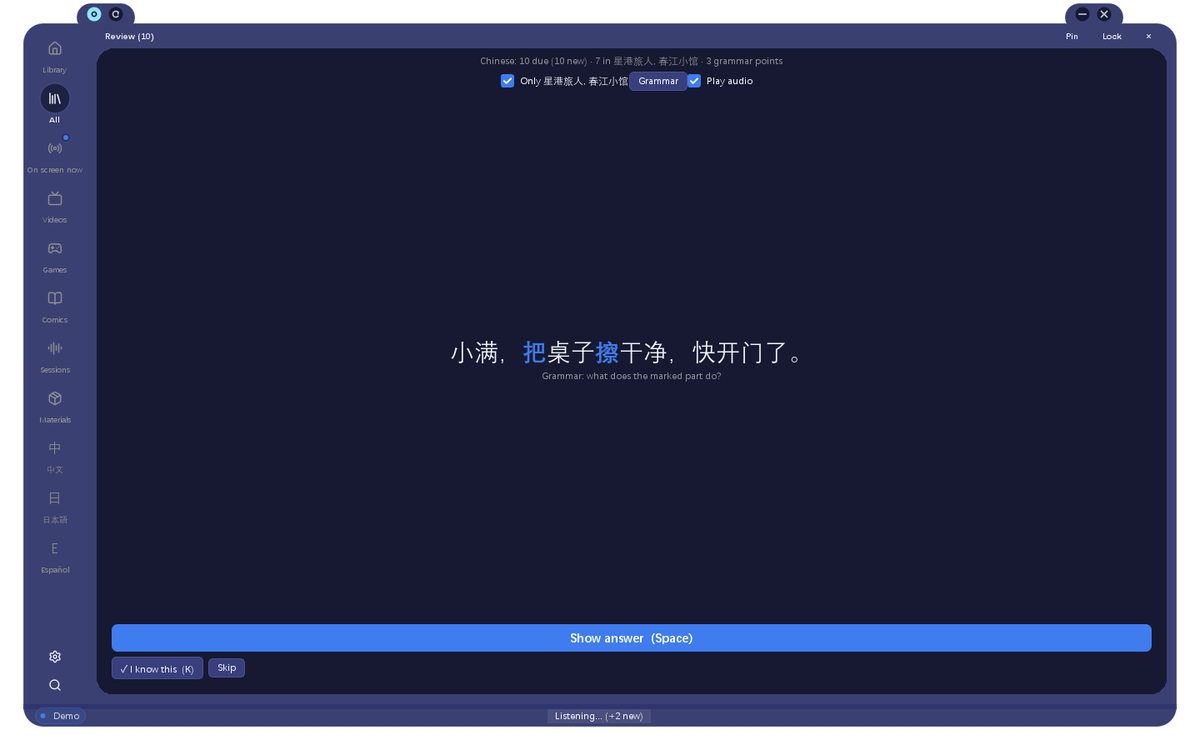
Your flashcards are made from your own lines: the sentence you heard, the bubble you read. Grammar points are found in what you watched, and come up in the line you met them in.

  • Mark the words you know, and see where you met each one
  • Make an Anki deck from any episode, with the audio
Review asking what a marked grammar point does in a line from the demo drama
Wrap up

Every session ends with what you learned

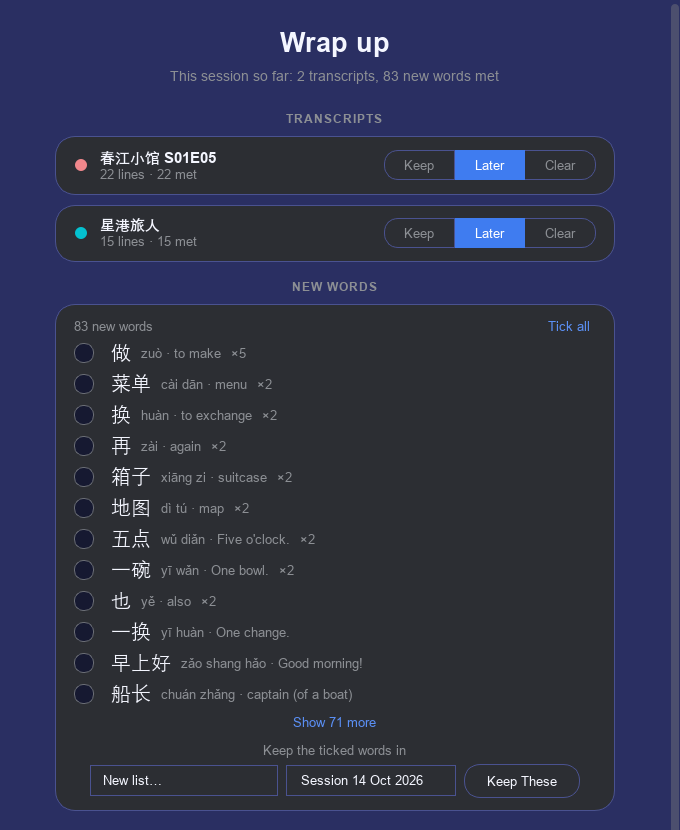
When you stop, the app lists the new words you met and the grammar it saw. Tick the ones worth keeping and they go into a list of their own.

  • Keep, clear or come back to each transcript
  • Star a grammar point to study it
The wrap-up page: transcripts, new words and grammar from a session
Library

Everything you've watched, read and played

Shows, comics, games and sessions, each language in its own place, with how far you got and how many words you met in each.

  • Import subtitles, a folder of pages or a game's text
  • Ctrl+K finds any command, pane, transcript or word
The Library: a drama's episodes, a game and a comic, with words met in each
Languages

Learn from any of five, in any of five

Chinese, Spanish, English, Japanese and Korean, from whichever of them you speak. Chinese is the most complete; Japanese and Korean are the newest, so tell us what they get wrong.

中文ChineseEspañolSpanishEnglishEnglish日本語Japanese한국어Korean
Yours

Free, and it stays on your computer

No account, no ads, no tracking. Reading the screen, listening and translating all happen on your own PC; what you watch and the words you learn stay there. The first start downloads the dictionary and reading models, once.

Getting it

Install in a minute

Download the installer

  1. Open the downloaded TranslationToyBox-Tester-0.1.0-t.202610142332.exe.
  2. Windows may say it protected your PC, because this test build isn't signed by a publisher yet. Click More info, then Run anyway.
  3. Follow the installer. No administrator rights are needed.

After that, the app keeps itself up to date: each time it starts it asks this page's server for a newer build, checks it is signed by the developer, and installs it when you restart. ⚙ → Check for Updates asks straight away. Help → Send Feedback goes straight to the developer.

What's new

Check for Updates, in the ⚙ menu

⚙ → Check for Updates asks for a newer build straight away. If there is one, it downloads in the background, is checked, and the app restarts to install it (it asks about unsaved transcripts first). The app still checks by itself every time it starts.

The download page now shows what the app can do, in pictures, with a printable PDF you can pass on.

The first test build

Thank you for trying Translation Toy Box! It's an app for learning a language from what you already watch, read and play: it reads the subtitles of any video, listens to what's said, and turns every line into words you can click, look up and keep.

Try these first

How to tell me what you think

Help → Send Feedback goes straight to me. Small things count: something that confused you, a button you couldn't find, a moment you enjoyed. The app updates itself when I publish a new build, and this page will say what changed.